
How to Set Up TikTok Shop Seller Center: A Beginner’s Quick Start Guide
 TikTok Shop Seller Center has helped businesses increase their sales by up to 35% within just three months of launching their stores. Pretty impressive, right?
TikTok has evolved beyond dance videos and transformed into a robust e-commerce platform. Creators and businesses can now sell directly to their engaged audience. Your journey through TikTok Shop Seller Center might start with a simple login or a specific market like Singapore. We’ll help you navigate it all.
Starting your TikTok Shop journey is straightforward. The right guidance can help you make your first sale within 24 hours. We’ve simplified the entire process into clear steps that anyone can follow.
This piece walks you through essential steps – from account creation to product listing, shipping setup, and payment configuration. You’ll learn to utilize TikTok’s sales-boosting tools effectively. Our practical tips will help you sidestep the common mistakes new sellers make.
Want to transform your TikTok followers into loyal customers? Let’s tuck into the process and launch your shop today!
Create Your TikTok Shop Account
Your TikTok selling trip starts at the TikTok Seller Center. You’ll need to register your shop and establish your business presence. Here’s a simple breakdown of the steps.
Sign up using your TikTok or email account
TikTok offers two easy ways to create your seller account. You can use your existing TikTok account by clicking “Sign up with TikTok account” on the registration page. The other option lets you register with your email address and phone number. The phone number and email must be unique and not linked to any other TikTok Shop account.
Create a strong password between 6-20 characters that combines numbers, letters, and special characters.
Choose your region (e.g., TikTok Shop Seller Center Singapore)
TikTok Shop operates in select regions including Singapore, the United States, United Kingdom, Indonesia, Malaysia, Philippines, Thailand, Vietnam, Ireland, Mexico, and Spain. You’ll need to pick your country from these available options.
You must live in your selected country because verification procedures vary by region. To name just one example, see TikTok Shop Seller Center Singapore – you’ll need specific Singapore documentation.
Verify your identity and business details
The next step asks you to choose between “Individually-owned Business” or “Corporation.” Each type has different verification requirements:
Individual sellers need:
-
Clear images of your government-issued ID (passport, national ID, or driver’s license)
-
Singapore residents can verify through SingPass or submit their NRIC
-
Seller’s age must be 18 or above in most regions
Corporate sellers need:
-
Legal representative’s or company director’s government-issued ID
-
Business license or registration documents
-
Singapore businesses must provide ACRA BizFile
The platform reviews submitted documents within 24 hours. You’ll get a notification to finish your shop setup with product details and shipping information after approval.
Add and Manage Your First Products
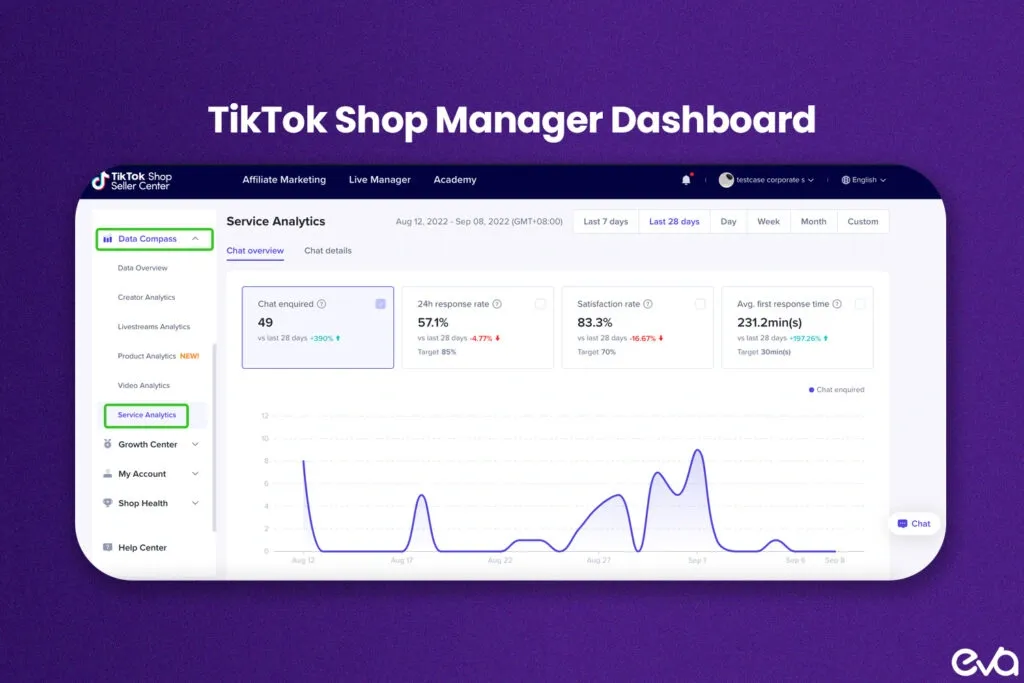
Image Source: Eva.guru
Your next important step is adding products to your TikTok Shop Seller Center after setting up your account. You can have up to 1,000 products online through single-product or batch uploads.
Upload product images and descriptions
The quality of your product listings will affect how interested customers are in your items. TikTok Shop has specific requirements for images:
-
Upload at least 5 high-resolution images (minimum 600×600 pixels)
-
Maximum file size: 10 MB (up to 9 files total)
-
Acceptable formats: JPG, JPEG, PNG
-
Main image should clearly show the entire product without watermarks
Your product title needs to be between 25-200 characters and should describe what you’re selling accurately. Skip unnecessary elements like URLs or marketing phrases. Then craft a product description of at least 500 characters and organize selling points in separate paragraphs. The platform’s product description generator can help you create compelling content based on your keywords.
Set pricing and stock levels
You’ll set prices and monitor inventory in the Sales Information section of your listing. The platform lets you add multiple product variants with different pricing for each. It also helps you manage inventory by setting customer purchase limits per variation.
The TikTok Shop Seller Center dashboard tracks inventory in real-time, so you can keep your stock levels right. This helps you avoid disappointing customers with out-of-stock items.
Understand product restrictions and guidelines
Take time to learn TikTok Shop’s prohibited and restricted products policies before listing anything. The platform won’t allow items like:
-
Adult-related products
-
Alcohol and tobacco products
-
Certain beauty products (particularly those with FDA-prohibited ingredients)
-
Medications and prescription drugs
-
Counterfeit or stolen goods
Some categories need special qualifications before you can sell in them. These include automotive parts, baby products, beauty items, and electronics. You might need to provide extra documentation to prove you can sell in these categories.
Following these rules will keep your listings active and help build your customers’ trust in your TikTok Shop.
Set Up Shipping and Payment
Your TikTok Shop Seller Center needs reliable shipping and payment options to operate effectively after you add products. These systems determine your business efficiency and payment processing speed.
Choose your shipping method
TikTok Shop gives you three distinct shipping options that align with your business requirements. Ship by TikTok (TikTok Shipping) lets you pick from TikTok’s partnered logistics providers who handle deliveries while the platform updates tracking details automatically [1]. Ship by Seller gives you the freedom to use your preferred carrier, but you’ll need to update tracking information manually. Fulfilled by TikTok (FBT) takes care of complete warehousing and fulfillment services – TikTok manages storage, picking, packing, and shipping [1].
Link your bank account for payouts
Your TikTok Shop earnings require a linked bank account in the Seller Center:
-
Navigate to “My Account” > “Account Settings” > “Bank Accounts” in Seller Center
-
Click “Link your Settlement Account”
-
Verify your identity when prompted
-
Select “Bank account” on the new page and enter your banking details [2]
Note that your shop owner’s name must match the account holder’s name exactly for successful payment processing [2]. TikTok Shop settles payments within 3-15 days after order delivery, based on your assigned settlement period [3].
Track orders and manage fulfillment
The Seller Center dashboard helps you manage incoming orders. The order status changes to “To Ship – Awaiting Shipment” after payment confirmation, indicating package preparation should begin [1]. You should review orders carefully, print shipping labels, and arrange shipment through pickup or drop-off options during this stage [4].
Valid tracking numbers are required for all TikTok Shop orders within the dispatch service level agreement (SLA) timeframe to avoid penalties [5]. The system tracks order status throughout delivery, letting you and your customers monitor packages until they reach their destination [6].
Use TikTok Tools to Boost Sales
After setting up your shop, you can boost sales using TikTok’s promotional tools. Research by Ipsos shows TikTok users watch live brand content 1.6 times more than non-TikTok users [7].
Create short videos to promote products
You have just three seconds to grab attention [8]. Your product videos should focus on authentic demonstrations instead of pushing sales. TRIP has achieved great results by letting creators naturally include products in their daily routines [9]. Show how your items solve problems and tell stories that appeal to your viewers.
Start your first TikTok LIVE session
TikTok LIVE Shopping lets you showcase products with up-to-the-minute interaction. Brands have seen amazing results with conversion rates reaching 19% from LIVEs [9]. Here’s how to make your LIVE session successful:
-
Let people know about your LIVE 2-3 days ahead
-
Give special discounts just for LIVE viewers
-
Build connection by responding to comments with names
-
Show products in detail and answer questions right away
Join affiliate programs to reach more buyers
TikTok Shop’s Affiliate Program lets creators earn 10-25% commission by promoting your products [10]. You can set up an affiliate plan in three easy steps: sign in to Seller Center, select “Affiliate Marketing,” and create a plan that fits your goals [11]. This strategy helped Sacheu Beauty earn over SGD 46,970 in affiliate sales in their first month [9].
Conclusion
Setting up your TikTok Shop Seller Center might seem overwhelming at first. The process follows logical steps that anyone can handle. You can create your account, verify your identity, and add compelling product listings with the platform’s user-friendly tools throughout the experience.
On top of that, it comes with flexible shipping options that match your business model. The system adapts to your needs whether you choose TikTok’s shipping services or your own carriers. Your customers stay informed about their purchases every step of the way.
TikTok Shop turns your social media presence into a sales engine. Short videos and LIVE sessions help you build real connections with potential buyers. These features drive engagement rates that are nowhere near what traditional e-commerce platforms offer. The affiliate program lets creators promote your products for commission and expand your reach even further.
Take action today. Each completed step brings you closer to TikTok’s massive audience of ready-to-buy users. Businesses have seen sales increases of up to 35% within just three months of launching their TikTok shops.
Your chance to succeed is here – just take the first step. Your first sale could be just a few clicks away!
Key Takeaways
Setting up TikTok Shop Seller Center is straightforward and can lead to significant sales growth within months. Here are the essential steps to get your shop running successfully:
• Account setup is simple: Sign up with TikTok or email, choose your region, and verify identity with government-issued ID – approval typically takes 24 hours.
• Product listings drive sales: Upload 5+ high-resolution images, write detailed descriptions (500+ characters), and follow TikTok’s product guidelines to avoid restrictions.
• Multiple shipping options available: Choose Ship by TikTok, Ship by Seller, or Fulfilled by TikTok based on your business needs and link your bank account for payouts.
• Video content boosts conversions: Create authentic product demonstrations and host LIVE sessions – brands report up to 19% conversion rates from LIVE shopping.
• Affiliate programs expand reach: Set up commission plans (10-25%) to let creators promote your products, potentially generating thousands in additional sales monthly.
The platform’s user-friendly tools and integrated social commerce features make it possible to go from setup to first sale in less than a day, with businesses seeing up to 35% sales increases within three months.
FAQs
Q1. How do I begin selling on TikTok Shop as a newcomer? To start selling on TikTok Shop, create an account using your TikTok profile or email, choose your region, verify your identity, and add products with high-quality images and detailed descriptions. Set up shipping and payment options, then use TikTok’s tools like short videos and live sessions to promote your products.
Q2. Is a business license required to sell on TikTok Shop? The requirements vary based on your business type and location. Individual sellers typically need government-issued ID, while corporate sellers must provide business registration documents. In some regions, additional licenses may be necessary for certain product categories.
Q3. What are the essential requirements to become a TikTok Shop seller? To become a TikTok Shop seller, you need to be at least 18 years old, reside in an eligible country, have a valid government-issued ID or business documents, and comply with TikTok’s product policies. You’ll also need to set up a bank account for receiving payments.
Q4. How can I set up a TikTok Shop in Singapore? To set up a TikTok Shop in Singapore, sign up on the TikTok Seller Center, choose Singapore as your region, verify your identity through SingPass or by submitting your NRIC, and provide necessary business documents like ACRA BizFile for corporate sellers. Then, add products and set up shipping and payment options.
Q5. What are some effective ways to boost sales on TikTok Shop? To boost sales on TikTok Shop, create engaging short videos showcasing your products, host live shopping sessions with exclusive discounts, and participate in the TikTok Shop Affiliate Program. Focus on authentic content that resonates with your audience and demonstrates the value of your products.
References
[1] – https://seller-us.tiktok.com/university/essay?knowledge_id=6179821974439723&lang=en
[2] – https://seller-sg.tiktok.com/university/essay?knowledge_id=3609017184225025&default_language=en
[3] – https://seller-sg.tiktok.com/university/essay?knowledge_id=1711750082086658&default_language=en
[4] – https://seller-sg.tiktok.com/university/essay?knowledge_id=3737505892550402&default_language=en
[5] – https://seller-us.tiktok.com/university/essay?knowledge_id=3995852763301633&lang=en
[6] – https://forceget.com/blog/how-to-track-tiktok-shop-orders-and-stay-updated-in-2025/
[7] – https://influencermarketinghub.com/live-selling-on-tiktok/
[8] – https://eseospace.com/blog/boost-tiktok-shop-visibility/
[9] – https://business.tiktokshop.com/uk/blog/detail/10023448/get-seen-on-tiktok-shop-how-to-optimize-your-listings-for-discoverability
[10] – https://seller-us.tiktok.com/university/essay?knowledge_id=4034166325692203&lang=en
[11] – https://seller.tiktokglobalshop.com/business/us/affiliate